Client · Accredited UX Diploma
Designing Synapse: the learning platform behind an accredited UX diploma
BrainStation scaled from one 10-week Toronto cohort to an accredited 400-hour diploma across three countries. Synapse and Cortex were the systems I helped design to make one curriculum serve dozens of concurrent cohorts under jurisdiction-specific compliance.
Visit BrainStation
Role
Design Lead
Organization
BrainStation
Timeline
2018-2026
Team
Product Experience
Platform
Desktop, tablet, and mobile
Capabilities
Information architecture, design systems, user research, LMS product design
One curriculum fed dozens of concurrent cohorts serving instructors and students with different needs. Synapse (the student platform) and Cortex (the back-office CMS) were the systems designed to deliver it consistently at scale.
Mandate
Lead end-to-end design of Synapse and the design system spanning the entire program. UX Bootcamp curriculum architect and founding designer.
Core constraint
Consistency had to hold across formats, time zones, and five compliance jurisdictions, with no room for per-cohort drift. We had no global search for student content.
Cortex views are rebuilt for portfolio; Cortex is internal to BrainStation.

BrainStation Toronto campus, a renovated heritage building that housed the program’s earliest cohorts.
The system around Synapse
The program ran on four interconnected systems: curriculum, educators, operations, and the platform that connected them to students. I supported all four as design lead; my deepest contribution was Synapse itself, and the design system that spanned the entire program.

Curriculum, educators, and a custom-built learning platform delivered the program; operational governance held it together across campuses, formats, and jurisdictions. The two systems I helped design, Synapse and Cortex, sit inside this map.
01
Curriculum System
Modular, versioned content architecture. Reusable assets, materials, and components that propagate updates across cohorts without fragmentation.
02
Educator System
Distributed team of 12 educators across North America and the UK, with shared standards for delivery and evaluation.
03
Synapse LMS
Custom-built platform centralizing delivery across instructor, student, and admin surfaces for every campus and program.
04
Operational System
Workflows and governance, run through Cortex, our custom CMS, coordinating curriculum updates, educator performance, and accreditation across five jurisdictions.
Foundations
The Synapse design system
A small, disciplined set of tokens — colour, type and spacing — that kept the platform consistent across all surfaces, and marketing assets.
Colour
Primitive ramps
Primary
100
#D3E1F9
200
#BAD1FB
300
#9FC0FF
400
#6A9CF4
500
#3D78E8
600
#1358DB
700
#1049B6
800
#0D3A92
Navy
50
#4F5D7E
100
#414F6E
200
#34415E
300
#242F52
400
#18254A
500
#101D42
Brand
100
#FFF5BF
200
#FFEA80
300
#FFDD40
400
#FFCF00
500
#E0B600
600
#B89500
700
#8C7104
Neutral
50
#F5F6F8
100
#ECEEF2
200
#C4C9D3
300
#9DA5B9
500
#767676
700
#474A52
900
#191B1F
Semantic tokens
Background
bg/canvas
neutral / 50
#F5F6F8
bg/surface
neutral / 0
#FFFFFF
bg/inverse
navy / 500
#101D42
Text
text/primary
neutral / 900
#191B1F
text/secondary
neutral / 500
#767676
text/on-primary
neutral / 0
#FFFFFF
text/link
blue / 600
#1358DB
Border
border/default
neutral / 200
#C4C9D3
border/strong
neutral / 300
#9DA5B9
border/focus
blue / 600
#1358DB
Accent
accent/primary
blue / 600
#1358DB
accent/deep
navy / 500
#101D42
accent/highlight
brand / 400
#FFCF00
Type
Ag
Hero — Merriweather Bold
80 / 84 · −4%
Ag
Heading — Merriweather Semibold
24 / 29 · −2%
Ag
Body — Nunito Sans Regular
18 / 27 · 0
Ag
Body Small — Nunito Sans Regular
16 / 22 · −1%
Ag
Eyebrow — Nunito Sans Semibold
13 / 16 · +22% · Uppercase
Space
4 · 8 · 16 · 24 · 40 · 64 px
Radius
xs · 6
md · 16
lg · 24
pill · full
Research
01—Strategic Context
The recurring choice: license a third-party LMS year over year, or build in-house. Synapse was the bet that our teaching could shape the tool, not the other way around.
02—Key Questions
How do students actually navigate the learning experience? Where does the LMS support them, and where does it get in their way?
03—Hypothesis
Building Synapse ourselves would let observation flow directly into the product: what we saw in classrooms could change the build.
Methods
Feedback surveys across cohorts · 1:1 student and instructor interviews · Contextual usability testing with the platform live in production
Teaching in the classroom meant watching students use the platform every day. That proximity was the research advantage of building in-house: findings went straight to the build. I reported issues to technical stakeholders, fixes shipped, and the next cohort validated them.


Six months later
The team’s version ran in production for six months.
Student feedback came back consistently: they couldn’t find content. Not because the screens were broken in isolation, but because the structural relationship between where I am in the program and what I’m supposed to watch right now had been severed. Students were getting lost in their own course.
We reverted the architecture. Lectures went back inside their parent units.
“I can’t tell where I am in the program.”
Representative student feedback
What we got right
The mental model held. Lectures returned to their parent units, and students stopped getting lost.
The team was right too. Navigation genuinely needed to make room for content, their collapsible pattern became the system standard.
And their version surfaced something neither side had named: my original placement of the lecture list wasn’t intuitive either. The synthesis fixed both problems. Neither original design was the shipped answer.
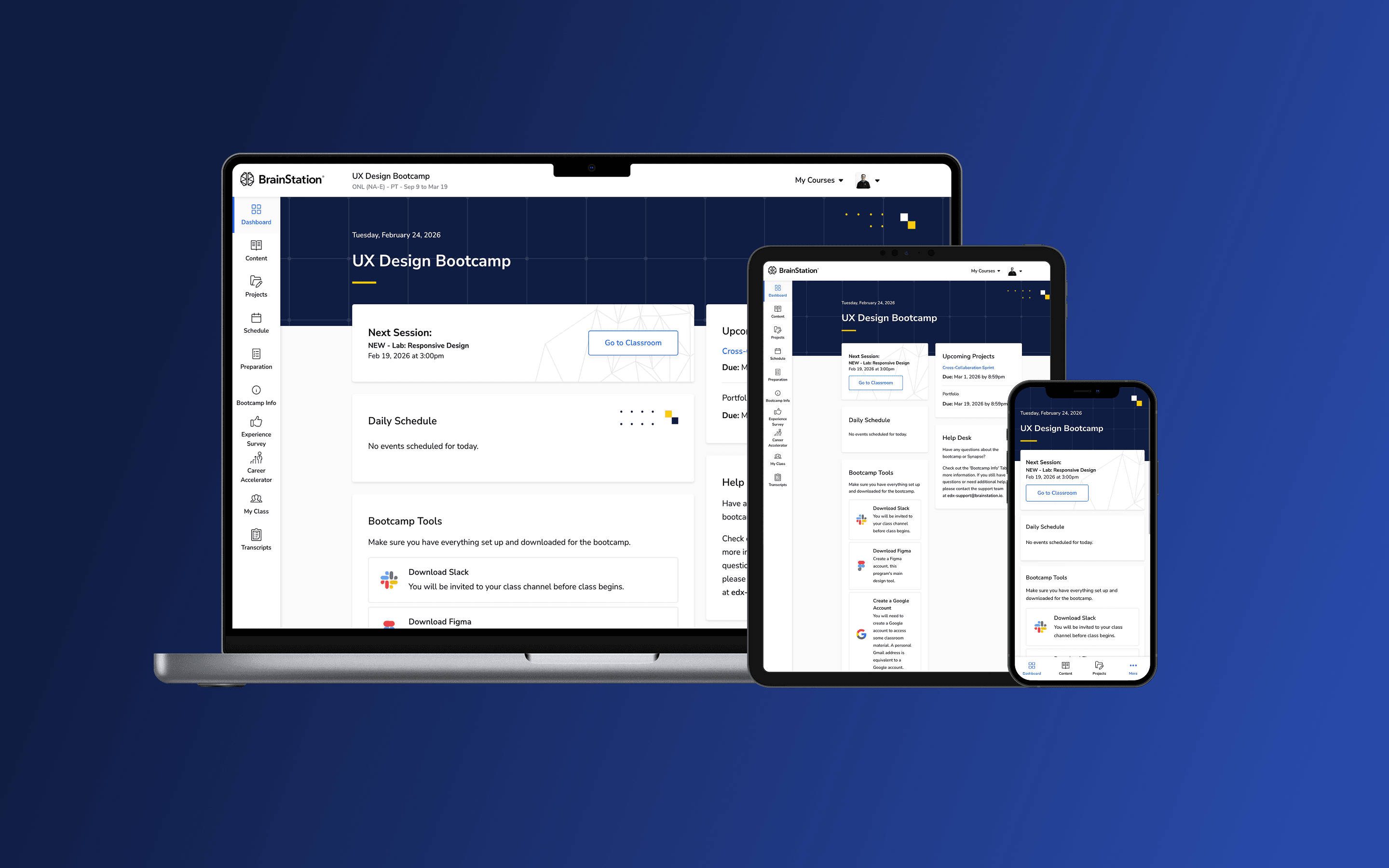


Synapse, BrainStation's learning management system. I led end-to-end design of the platform, delivering consistent curriculum across desktop, tablet, and mobile.
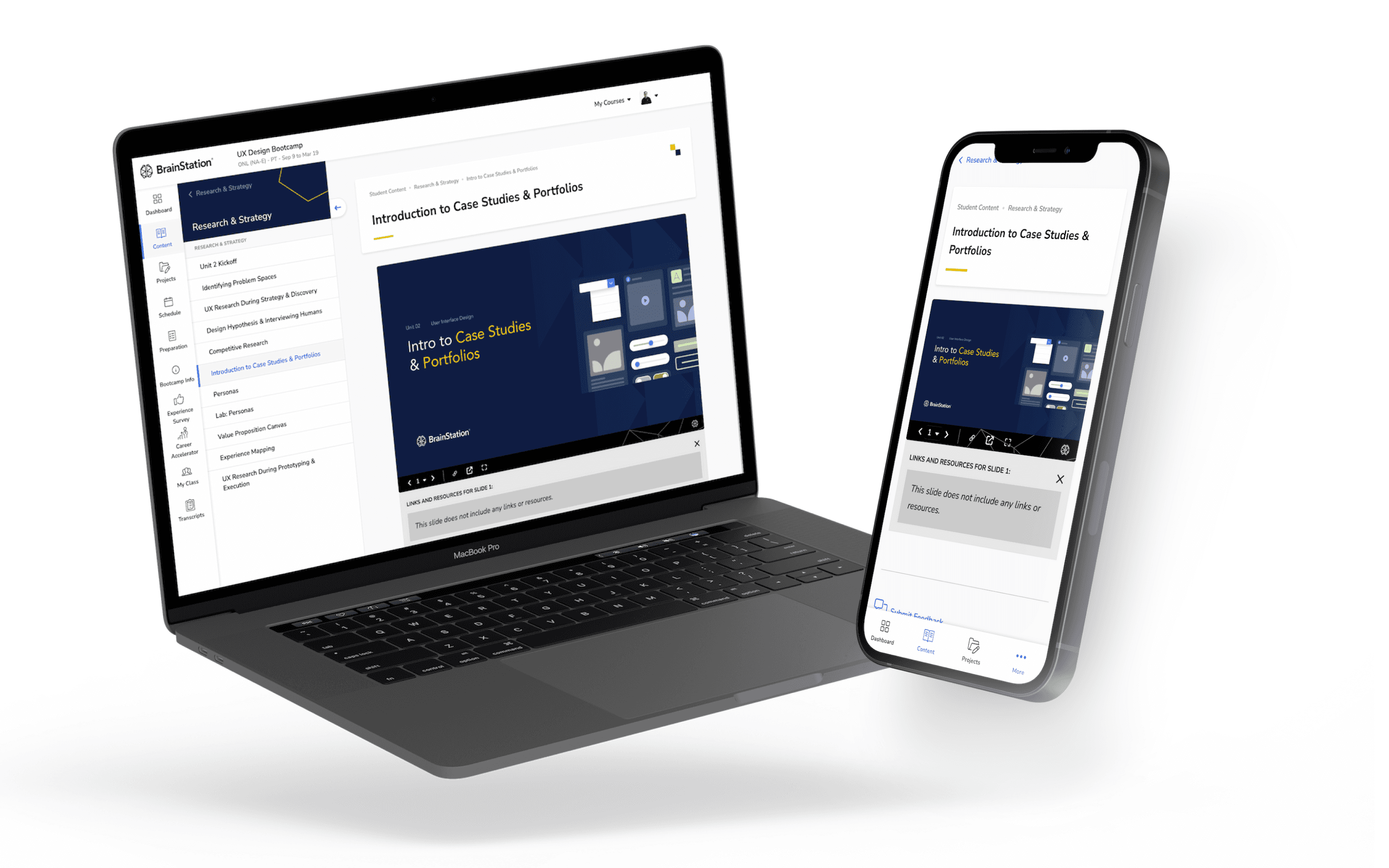


The lecture view, where curriculum, educators, and platform met. Students moved through structured modules of content delivered live, with materials remaining accessible after each session.
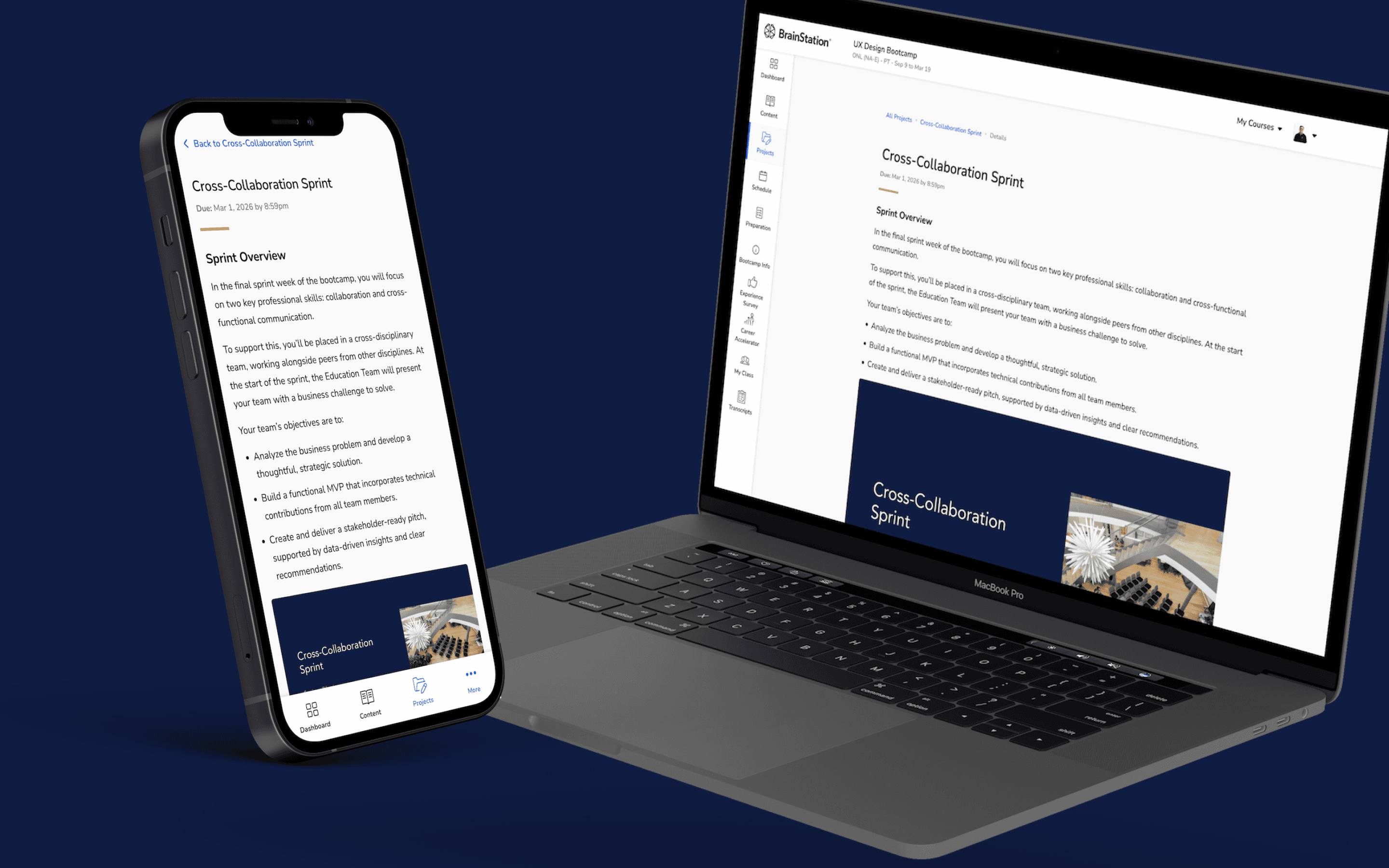
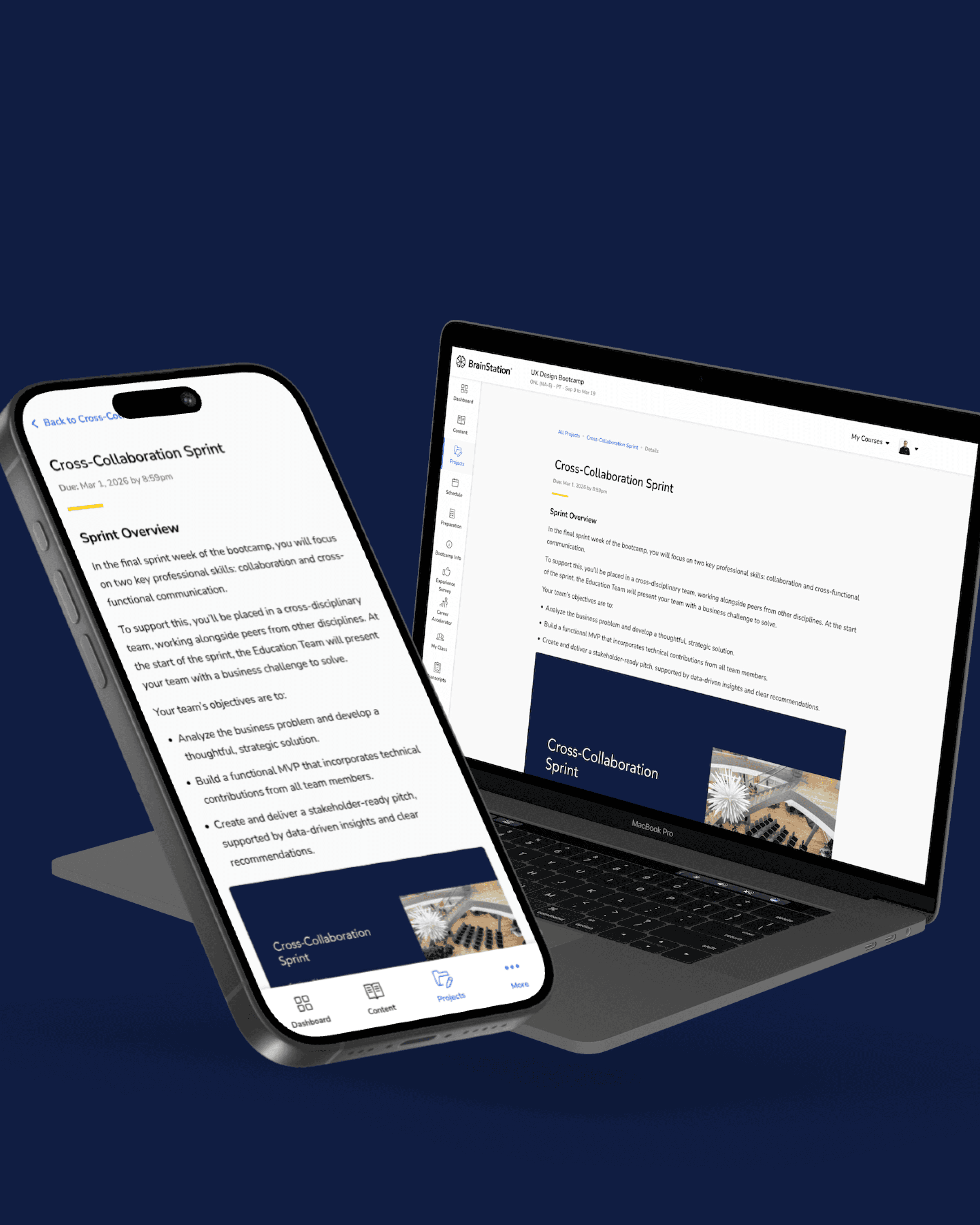
The project detail view, where students managed their portfolio work throughout each cohort. Synapse held progress, instructor feedback, and submissions in one structured surface.
Cortex, the back office
Synapse had a back office. Cortex was our custom CMS, where staff created cohort instances, generated their calendars, and mapped curriculum content onto individual sessions by drag and drop, then set unlock dates and project due dates against the same schedule. One curriculum, dozens of live instances across formats and time zones: Cortex was where that mapping happened, and Synapse was where students experienced the result.

Reconstructed and modernized BrainStation's internal learning platform using its existing design language and primitive tokens, improving hierarchy, consistency, and usability while preserving familiarity.
Impact
Synapse began with two flagship bootcamps, Web Development and UX Design, then scaled to power BrainStation’s entire learning portfolio.
50K+
Professionals Impacted
Multi-year cost avoidance
Compared to licensing alternatives
4.6/5
Rating on Course Report
Global Delivery
Bootcamps, courses, workshops and events
Synapse Reimagined
Synapse shipped in a pre-AI world. The navigation architecture we fought over, nested or decoupled, existed to answer two questions: where am I, and what’s next? Rebuilding it today, I’d stop asking the nav rail to carry all of that.
I prototyped the concept in Figma Make: a restructured navigation plus an integrated AI learning assistant that answers where am I and what’s next directly, in context, so structure serves orientation instead of straining to simulate it.
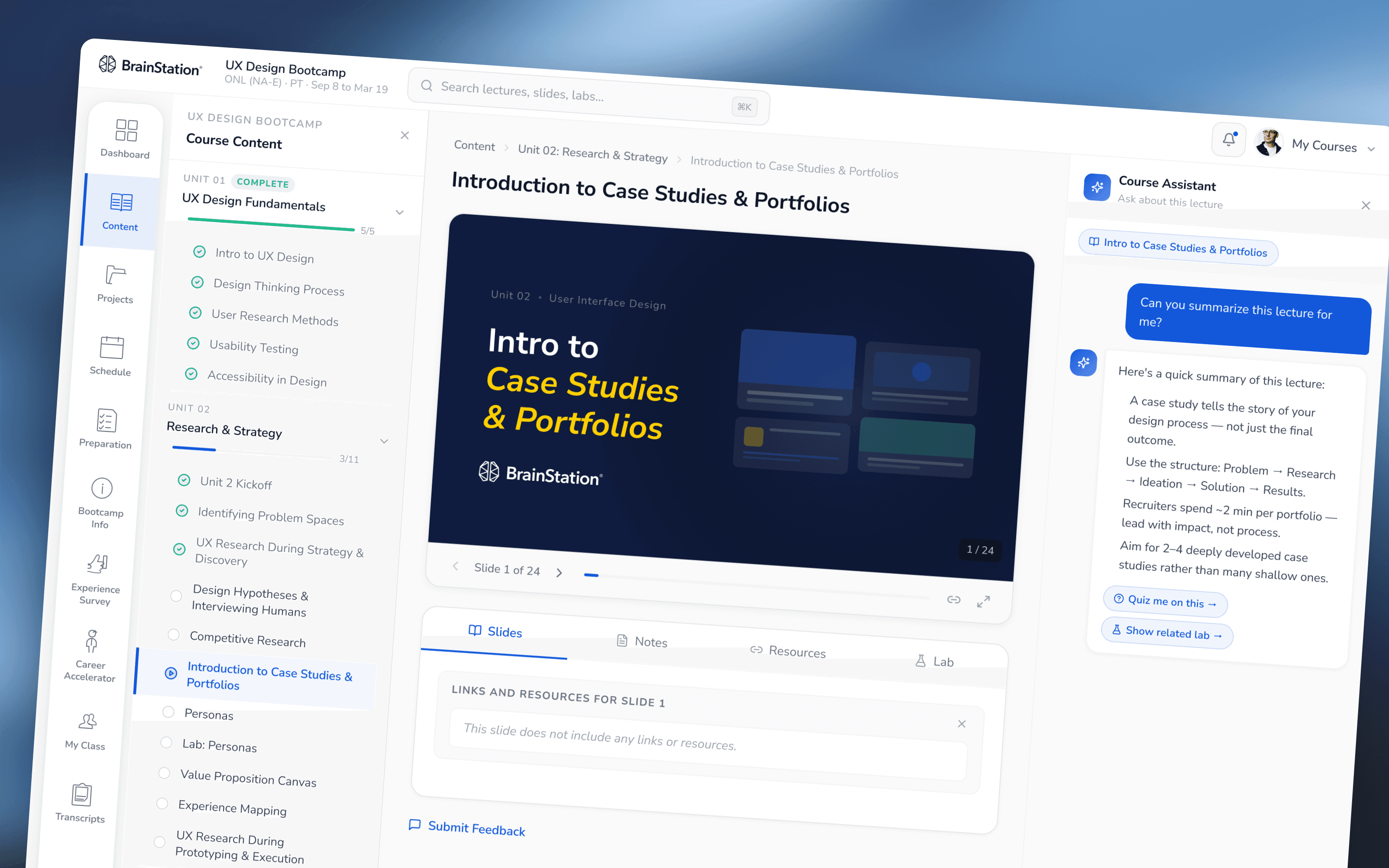
A student asks the assistant where they are; it answers with their place in the program and what’s next. Speculative concept, built in Figma Make, not affiliated with BrainStation’s current product.